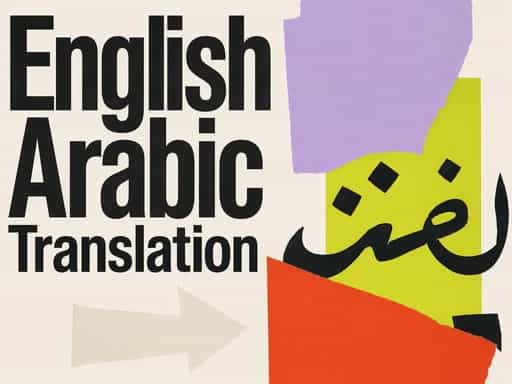
AI Language Translation and Localization for Global Audiences
Learn how to use AI language translation and localization tools to create multilingual content, reach global audiences, and expand your online presence effectively.

Best quote from AI Language Translation and Localization for Global Audiences
The real 'pro move' is a hybrid workflow where AI handles the heavy lifting and humans refine the brand voice. It’s not just about speed—it’s about compound interest for your content; the more you translate, the smarter and cheaper the system becomes.
Generated by VIKASH KUMAR JAIN
Utilizing AI-powered language translation and localization tools to reach global audiences, facilitating the creation of multilingual content and expanding power users' online presence



Frequently Asked Questions
AI language translation allows creators and businesses to quickly adapt their messaging for different regions without the traditional delays of manual translation. By utilizing advanced localization tools, you can ensure your message resonates culturally while maintaining its original intent. This technology facilitates the rapid creation of multilingual content, making it easier than ever to engage with international markets and build a truly global audience reach.
Localization tools go beyond simple word-for-word translation by adjusting content to fit the cultural and linguistic nuances of a specific target market. For power users, these AI-driven tools streamline the workflow for multilingual content creation, ensuring that every piece of media feels native to the viewer. This precision helps in expanding your online presence and building trust with diverse audiences across various geographical locations.
AI for power users provides a competitive edge by automating the complex process of translating and localizing high volumes of content. By integrating AI language translation into their digital strategy, power users can maintain a consistent brand voice across multiple languages simultaneously. This efficiency leads to a significant online presence expansion, allowing creators to dominate niche markets globally while focusing their energy on core content strategy and innovation.
From Columbia University alumni built in San Francisco
"Instead of endless scrolling, I just hit play on BeFreed. It saves me so much time."


"I never knew where to start with nonfiction—BeFreed’s book lists turned into podcasts gave me a clear path."


"Perfect balance between learning and entertainment. Finished ‘Thinking, Fast and Slow’ on my commute this week."
"Crazy how much I learned while walking the dog. BeFreed = small habits → big gains."
"Reading used to feel like a chore. Now it’s just part of my lifestyle."

"Feels effortless compared to reading. I’ve finished 6 books this month already."
"BeFreed turned my guilty doomscrolling into something that feels productive and inspiring."

"BeFreed turned my commute into learning time. 20-min podcasts are perfect for finishing books I never had time for."
"BeFreed replaced my podcast queue. Imagine Spotify for books — that’s it. 🙌"

"It is great for me to learn something from the book without reading it."
"The themed book list podcasts help me connect ideas across authors—like a guided audio journey."
"Makes me feel smarter every time before going to work"
From Columbia University alumni built in San Francisco
"Instead of endless scrolling, I just hit play on BeFreed. It saves me so much time."
"I never knew where to start with nonfiction—BeFreed’s book lists turned into podcasts gave me a clear path."
"Perfect balance between learning and entertainment. Finished ‘Thinking, Fast and Slow’ on my commute this week."
"Crazy how much I learned while walking the dog. BeFreed = small habits → big gains."
"Reading used to feel like a chore. Now it’s just part of my lifestyle."
"Feels effortless compared to reading. I’ve finished 6 books this month already."
"BeFreed turned my guilty doomscrolling into something that feels productive and inspiring."
"BeFreed turned my commute into learning time. 20-min podcasts are perfect for finishing books I never had time for."
"BeFreed replaced my podcast queue. Imagine Spotify for books — that’s it. 🙌"
"It is great for me to learn something from the book without reading it."
"The themed book list podcasts help me connect ideas across authors—like a guided audio journey."
"Makes me feel smarter every time before going to work"
"Instead of endless scrolling, I just hit play on BeFreed. It saves me so much time."
"I never knew where to start with nonfiction—BeFreed’s book lists turned into podcasts gave me a clear path."
"Perfect balance between learning and entertainment. Finished ‘Thinking, Fast and Slow’ on my commute this week."
"Crazy how much I learned while walking the dog. BeFreed = small habits → big gains."
"Reading used to feel like a chore. Now it’s just part of my lifestyle."
"Feels effortless compared to reading. I’ve finished 6 books this month already."
"BeFreed turned my guilty doomscrolling into something that feels productive and inspiring."
"BeFreed turned my commute into learning time. 20-min podcasts are perfect for finishing books I never had time for."
"BeFreed replaced my podcast queue. Imagine Spotify for books — that’s it. 🙌"
"It is great for me to learn something from the book without reading it."
"The themed book list podcasts help me connect ideas across authors—like a guided audio journey."
"Makes me feel smarter every time before going to work"
"Instead of endless scrolling, I just hit play on BeFreed. It saves me so much time."
"I never knew where to start with nonfiction—BeFreed’s book lists turned into podcasts gave me a clear path."
"Perfect balance between learning and entertainment. Finished ‘Thinking, Fast and Slow’ on my commute this week."
"Crazy how much I learned while walking the dog. BeFreed = small habits → big gains."
"Reading used to feel like a chore. Now it’s just part of my lifestyle."
"Feels effortless compared to reading. I’ve finished 6 books this month already."
"BeFreed turned my guilty doomscrolling into something that feels productive and inspiring."
"BeFreed turned my commute into learning time. 20-min podcasts are perfect for finishing books I never had time for."
"BeFreed replaced my podcast queue. Imagine Spotify for books — that’s it. 🙌"
"It is great for me to learn something from the book without reading it."
"The themed book list podcasts help me connect ideas across authors—like a guided audio journey."
"Makes me feel smarter every time before going to work"










![[1d221814-b877-42a8-b0c0-d515610ed642:c0000] Duda Partner Summit.md p1-1](/_next/image?url=https%3A%2F%2Fd1y2du6z1jfm9e.cloudfront.net%2Fassets%2Fpodcast%2Fpurple.png&w=1024&q=50)