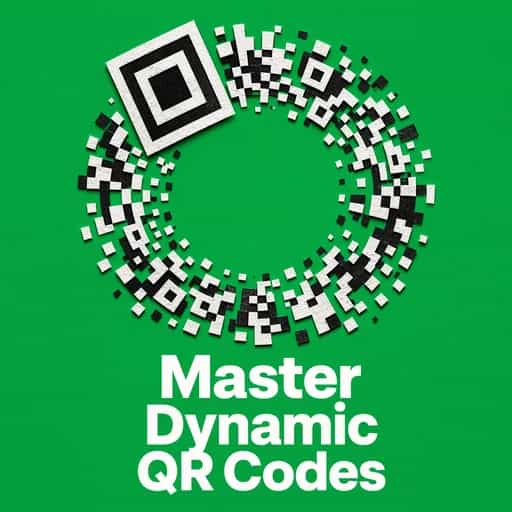
We use QR codes daily, but they weren't built for menus. Discover how a 1990s car factory struggle led to the invention of the pixelated square.

The QR code is the ultimate example of a practical solution outgrowing its original box. It’s a masterpiece of functional minimalism that turned a car-tracking tool into a universal interface for humanity.
Creato da alumni della Columbia University a San Francisco
"Instead of endless scrolling, I just hit play on BeFreed. It saves me so much time."
"I never knew where to start with nonfiction—BeFreed’s book lists turned into podcasts gave me a clear path."
"Perfect balance between learning and entertainment. Finished ‘Thinking, Fast and Slow’ on my commute this week."
"Crazy how much I learned while walking the dog. BeFreed = small habits → big gains."
"Reading used to feel like a chore. Now it’s just part of my lifestyle."
"Feels effortless compared to reading. I’ve finished 6 books this month already."
"BeFreed turned my guilty doomscrolling into something that feels productive and inspiring."
"BeFreed turned my commute into learning time. 20-min podcasts are perfect for finishing books I never had time for."
"BeFreed replaced my podcast queue. Imagine Spotify for books — that’s it. 🙌"
"It is great for me to learn something from the book without reading it."
"The themed book list podcasts help me connect ideas across authors—like a guided audio journey."
"Makes me feel smarter every time before going to work"
Creato da alumni della Columbia University a San Francisco

Eli: You know, I was at a restaurant yesterday and realized I haven’t touched a physical menu in years. It’s all just those little black-and-white pixelated squares now.
Nia: It’s wild, right? We scan them for everything from paying for parking to joining a Wi-Fi network. But here’s the thing—the QR code isn't some "new" pandemic invention. It was actually created way back in 1994.
Eli: Wait, 1994? That’s over thirty years ago! I always assumed it was a recent tech breakthrough. What were we even using them for back then?
Nia: It actually started with a major headache in Japanese car factories. Engineers like Masahiro Hara were watching workers struggle with traditional barcodes that could only hold about 20 characters. Imagine having to scan ten different codes just to track one car part.
Eli: That sounds incredibly tedious. So, let’s dive into how a game of "Go" during a lunch break actually solved that massive industrial bottleneck.
Nia: So, to really get why we needed the QR code, you have to imagine the 1960s and 70s in Japan. Supermarkets were exploding in popularity. Before then, cashiers had to manually punch in every single price. Can you imagine the physical toll?
Eli: Oh, man—I get a cramp just thinking about it. That’s a lot of repetitive motion.
Nia: Exactly. It was a massive issue. Workers were actually getting physical injuries—tenosynovitis, carpal tunnel—just from the sheer volume of manual data entry. It was a genuine "employee hardship" era. That’s actually what pushed the development of the traditional barcode and POS systems in the first place.
Eli: So the barcode was the hero of the seventies?
Nia: For a while, yes. But by the time we hit the early 90s, the automotive industry—specifically DENSO WAVE, which was a subsidiary of the Toyota Group—hit a wall. The traditional 1D barcode—those vertical lines we all know—can only store about 20 alphanumeric characters.
Eli: Twenty characters? That’s barely a long username.
Nia: Right! And in a car factory, you’re not just tracking a "door." You’re tracking the batch number, the specific alloy used, the date of manufacture, the routing info for the assembly line. To get all that data, workers were having to scan eight to ten separate barcodes on a single component.
Eli: That sounds like it defeats the whole purpose of an "automated" system. You’re just standing there go, *beep, beep, beep, beep*... forever.
Nia: And it was slow! Plus, you had to line the scanner up perfectly. If the barcode was a bit smudged with oil or grease—which, you know, happens in a car factory—the scanner would just give up. Masahiro Hara, who was an engineer at DENSO WAVE, saw his colleagues struggling with this every day. He realized they didn't just need a bigger barcode; they needed a completely different dimension of data.
Eli: So he’s looking at these guys struggling, and he’s thinking, "There’s got to be a better way to pack this information in."
Nia: Precisely. He wanted something that was "Quick Response"—that’s where the name comes from. He wanted a code that could be read ten times faster than anything else on the market and hold way more info. But the big question was—how do you make a machine recognize a code instantly from any angle? Because in a fast-moving factory, you don’t have time to be precious about how you hold the scanner.
Eli: It’s amazing that a solution for car parts in the 90s ended up being exactly what we needed for contactless menus in 2026.
Nia: It’s the ultimate example of a practical solution outgrowing its original box. Hara wasn't trying to change the world—he was just trying to make his coworkers' lives a little less painful.
Eli: Okay, so Masahiro Hara is on a mission to save his colleagues from barcode hell. Where does the actual lightbulb moment happen? I heard you mention a board game earlier.
Nia: Yes! This is my favorite part of the story. Hara used to play "Go"—or *Gomoku*—during his lunch breaks. If you’ve ever seen a Go board, it’s this beautiful, complex grid of black and white stones.
Eli: Right, it’s all about territory and patterns.
Nia: Exactly. One day, while he was looking down at the stones arranged on the grid, it clicked. He realized that if he arranged data in two dimensions—both vertically and horizontally—he could store exponentially more information than a linear barcode, which only reads left to right.
Eli: It’s like moving from a single-story house to a skyscraper. You’re using the same footprint but building up.
Nia: That is a perfect analogy. By using a 2D matrix, he could store up to 7,000 numeric characters. Compare that to the 20 characters in a standard barcode!
Eli: That’s more than 300 times the capacity. But wait—if it’s that dense with information, wouldn't it be even harder for a scanner to read? Especially if the code is rotated or upside down?
Nia: That was the million-dollar challenge. Hara spent over a year just experimenting with the geometry. He needed a way for the scanner to say, "Hey! This is a QR code, and here is which way is up." He analyzed thousands of pieces of printed material—magazines, posters, packaging—looking for a specific ratio of black and white that almost never appears in nature or traditional printing.
Eli: He was looking for a "unique signature" basically?
Nia: Yes. And he found it: a ratio of 1:1:3:1:1. He used this ratio to create those three big squares you see in the corners—the "finder patterns" or "position detection patterns."
Eli: Oh! Those squares that are always in the top corners and the bottom left?
Nia: Exactly. Because of those three squares, a scanner can identify the code’s orientation in 360 degrees. It doesn’t matter if the code is sideways, tilted, or upside down—the scanner sees those squares, calculates the angle, and decodes the data instantly.
Eli: That’s brilliant. It’s like having a compass built directly into the data.
Nia: And he didn't stop there. He also added "alignment patterns"—smaller squares inside the grid—to help the scanner deal with distortion. Think about a QR code printed on a curved surface, like a soda can or a pipe in a factory. The grid gets warped. Those alignment patterns allow the software to "stretch" the image back to a flat grid mentally before reading it.
Eli: It’s like the code is talking to the scanner, saying, "I know I look a bit wonky, but here’s how you should actually read me."
Nia: It really is a masterpiece of functional minimalism. By 1994, after a year and a half of development, they launched it. And it did exactly what they hoped—it read ten times faster than any other code and could handle the grime of a factory floor without breaking a sweat.
Eli: You mentioned the grime of the factory floor. I’ve noticed that sometimes I can scan a QR code even if it’s a bit scratched up or if there’s a smudge on the screen. How does it not just... fail?
Nia: That’s down to something called Reed-Solomon error correction. It’s the same math used for deep space communication and scratched CDs.
Eli: Wait, like NASA uses?
Nia: Totally. The QR code doesn't just store your data once; it embeds redundant bits of information. Depending on the level of error correction used, a QR code can be up to 30% damaged—torn, stained, or covered by a logo—and it will still work perfectly.
Eli: 30 percent? That’s nearly a third of the code gone!
Nia: It’s incredibly robust. In the car factories, this was vital because parts get oily, labels get scratched during shipping. If a traditional barcode lost one line, it was dead. But a QR code? It just keeps going. This is actually why you see companies putting their logos right in the middle of a QR code today.
Eli: I always wondered about that! I thought there was some special "logo hole" in the technology.
Nia: Nope! They’re literally just obliterating a section of the data, and the code is so "smart" that the error correction math just fills in the blanks. There are actually four levels of this—L, M, Q, and H. "H" is the high-security one that allows for that 30% recovery.
Eli: So, when DENSO WAVE released this in 1994, did it just take over the world immediately?
Nia: Not quite. For the first decade, it was really an industrial workhorse. It spread through electronics, food, and pharmaceuticals because of that traceability factor. But for the average person on the street? You needed an expensive, specialized industrial scanner to read them. They were "invisible" to the general public.
Eli: Right, because we didn't have smartphones in our pockets in 1994. We had... what, pagers?
Nia: Exactly. The technology was there, but the "bridge" to the consumer didn't exist yet. But then, a massive decision by DENSO WAVE changed everything. They patented the technology, but they made it "open." They announced they would not exercise their patent rights.
Eli: So they made it free for everyone?
Nia: Every single person. Any company could generate them, any developer could build a reader for them, and nobody had to pay DENSO WAVE a cent in royalties.
Eli: That’s a bold move for a corporation. Why would they do that?
Nia: Masahiro Hara’s philosophy was that for a technology to become a true global standard, it shouldn't be locked behind a paywall. He wanted it to empower people, not restrict them. If they had charged a fee, we’d probably have five different competing versions of 2D codes today, and none of them would work with each other.
Eli: So his generosity is the reason I can scan a code in a cafe in London or a street market in Bangkok and it just *works*.
Nia: Precisely. That open standard allowed a global digital language to form. It’s one of those rare moments in tech history where openness won out over short-term profit, and the result was a technology that literally billions of people use daily.
Eli: So, if the QR code was sitting on factory floors for years, when did it finally make the jump to our pockets? When did we start seeing them in the "wild"?
Nia: The real turning point was 2002. That’s when a company called Sharp released the first mobile phone in Japan with a built-in QR code reader.
Eli: 2002! That’s way earlier than I expected. I don't remember scanning anything in 2002.
Nia: Well, Japan was way ahead of the curve. They have a very mobile-first culture. Suddenly, Japanese consumers could scan a code on a poster to get a coupon or a link to a website. It was huge there. But in the West? It was a bit of a "flop" for a long time.
Eli: I do remember that. About ten or fifteen years ago, you’d see them on billboards, but you had to download a sketchy third-party app just to scan them.
Nia: Exactly! That was the "friction" that almost killed the QR code in the US and Europe. It was too much work. You’d be standing in front of a movie poster, trying to download an app, the signal would be bad... eventually, you just give up. People started calling QR codes "tech for tech's sake."
Eli: I remember people saying they were "dead" back in 2013 or so.
Nia: They really did seem like a passing fad here. But while the West was ignoring them, Asia was building an entire financial infrastructure around them. In China, apps like Alipay and WeChat Pay integrated QR codes so deeply that by 2016, they were processing trillions of dollars in transactions.
Eli: Trillions? Just through those little squares?
Nia: Yeah. It was the perfect solution for a "cashless society" because it’s so cheap for the merchant. A small street vendor doesn't need an expensive credit card terminal. They just need a piece of paper with a QR code printed on it.
Eli: That’s a huge shift. It lowers the barrier to entry for everyone.
Nia: And then, the "Apple Effect" happened in 2017. With the launch of iOS 11, Apple finally integrated a QR scanner directly into the native camera app. Android followed right after.
Eli: That was the game-changer, wasn't it? No more separate apps. Just point and scan.
Nia: That removed all the friction. Suddenly, those millions of people who had the hardware but not the software were ready. The QR code was basically "resting" in the Western market, waiting for the infrastructure to catch up.
Eli: It’s like the QR code was this incredibly powerful engine that was just waiting for someone to build the right car around it.
Nia: And then, just as the infrastructure was finally ready... the world changed. 2020 happened.
Eli: It’s wild to think that a technology from 1994 became the "symbol" of a global pandemic in 2020. I mean, they were everywhere.
Nia: It was a total "Contactless Renaissance." When the COVID-19 outbreak hit, we suddenly needed a way to interact with the world without touching *anything*. Paper menus became a health risk. Physical tickets were a no-go.
Eli: I remember the first time I went to a restaurant after the lockdowns and there were no menus. Just a little sticker on the table. It felt so futuristic and also... a little strange?
Nia: It was the ultimate test for the QR code. And it passed with flying colors. In Thailand, for instance, the government had already been pushing the "PromptPay" system since 2017 to encourage a cashless society. So when the pandemic hit, the country was already primed to use QR codes for everything—from patient tracking to digital check-ins.
Eli: It wasn't just about convenience anymore; it was about safety.
Nia: Exactly. It became a vital tool for health officials to trace timelines. But it also sparked this wave of creativity. Because everyone *had* to learn how to use them, businesses started getting clever. I saw cafes embedding QR codes into latte art!
Eli: No way! Can you actually scan foam?
Nia: If the contrast is high enough, yes! And in China, there were these massive QR codes created in rice paddies that you could see from planes.
Eli: That is taking "industrial scale" to a whole new level.
Nia: It really proved the resilience of the design. Think about it—the pandemic didn't require a "new" invention. It just required us to rediscover a very simple, very robust invention that had been sitting right in front of us for nearly thirty years.
Eli: It’s interesting how it shifted from being a "niche factory tool" to a "safety essential" to just... part of the furniture. I don't even think twice about it now.
Nia: And that’s the sign of a truly successful technology. It becomes invisible. It just works. But it’s also led to some really high-tech upgrades. Now we have "Dynamic QR Codes."
Eli: "Dynamic"? Like, they change?
Nia: The code itself stays the same, but the *destination* can change. So, if a restaurant changes its menu, they don't have to reprint the stickers on the tables. They just update the link in the background.
Eli: That’s so much more sustainable than printing thousands of paper menus.
Nia: It really is. And we’re seeing "Version 40" QR codes now—which can hold massive amounts of data. The technology keeps evolving, even if the basic black-and-white square looks the same as it did in Hara’s lab in 1994.
Eli: Okay, let's get into the weeds for a second. When I'm looking at one of these codes, what am I actually seeing? It’s not just random static, right?
Nia: Not at all. Every single dot—or "module"—has a purpose. We already talked about the three big "finder patterns" in the corners, but there’s so much more "hidden" in there.
Eli: Like what?
Nia: Well, there’s the "Quiet Zone." That’s the white border around the square. If you don't have that, the scanner can't tell where the code ends and the rest of the world begins. It’s like the "margin" on a piece of paper.
Eli: Okay, that makes sense. What about those little tiny squares scattered in the middle?
Nia: Those are the "Alignment Patterns." As the versions of QR codes get bigger—and they can go up to Version 40, which is 177 by 177 modules—the scanner needs more "anchors" to make sure it’s reading the grid correctly. If the code is printed on a curved surface, like a bottle, those small squares help the software recalibrate the geometry.
Eli: And what about the actual data? Is it just a string of ones and zeros?
Nia: Basically! It uses four different encoding modes. There’s "Numeric" for just numbers, "Alphanumeric" for letters and numbers, "Byte" for binary data, and even a specific "Kanji" mode for Japanese characters.
Eli: Wait, it has a dedicated mode just for Japanese?
Nia: Yeah, because it was invented in Japan! Standard barcodes couldn't handle Kanji, so Hara made sure the QR code could encode it super efficiently. It’s one of the reasons it became a standard there so quickly.
Eli: That’s fascinating. And then there’s the "Masking" process. This blew my mind when I read about it.
Nia: Oh, the masking is genius. Sometimes, when you encode data, you accidentally end up with a pattern that looks like a "finder pattern" or a big block of all-black squares. That confuses the scanner.
Eli: Like a "digital optical illusion"?
Nia: Exactly. So the QR standard has eight different "mask patterns." The computer applies these masks to the data to "scramble" the visual look of it while keeping the data intact. It then picks the mask that has the "lowest penalty score"—basically, the one that’s easiest for a machine to read.
Eli: So the QR code is essentially "choosing" its best outfit before it gets printed?
Nia: I love that! Yes, it’s optimizing its own visibility. And let’s not forget the "Format Information" area. It’s a tiny strip of pixels that tells the scanner, "Hey, I’m using Level M error correction and Mask Pattern Number 3."
Eli: It’s a self-describing system. It carries its own instruction manual.
Nia: That’s exactly why it’s so fast. The scanner doesn't have to guess. It reads the format, knows the rules, and decodes the message in milliseconds. It’s "Quick Response" in the truest sense.
Eli: So, we’ve used them for car parts, menus, and payments. What’s next? Surely we’ve reached the "peak" of what a little square can do?
Nia: Oh, we are just getting started. One of the biggest shifts happening right now is called "GS1 Digital Link."
Eli: Sounds fancy. What is it?
Nia: Think about the barcode on a box of cereal. It only tells the register the price. That’s it. But there’s a global initiative called "Sunrise 2027" to replace those old barcodes with 2D codes—like QR codes—by the year 2027.
Eli: Every product in the grocery store?
Nia: Every single one. Imagine scanning a carton of milk and seeing exactly which farm it came from, the expiration date, and getting an alert if there’s a recall—all from the same code that the cashier uses to ring you up.
Eli: That’s incredible for food safety. No more guessing if your lettuce is part of a recall.
Nia: Precisely. And it’s moving into Augmented Reality too. You scan a QR code on a furniture box and—boom—a 3D model of that sofa appears in your living room through your phone screen.
Eli: I’ve actually seen that! It’s like the QR code is a "portal."
Nia: It really is a bridge between the physical and digital worlds. We’re even seeing them in healthcare—linking patients to their lab results or vaccination records securely. And there’s "SQRC"—Secure QR Codes—that can hide private information that only certain scanners can read.
Eli: So you could have a code that looks normal to me, but a doctor scans it and sees my medical history?
Nia: Exactly. It’s about layers of data. And then there’s the "AI-driven" scanning. Companies like barKoder are developing SDKs that can read QR codes that are almost completely destroyed.
Eli: Like, even worse than the 30% damage we talked about?
Nia: Yeah! They have this technology called "MatrixSight" that can reconstruct a code even if the "finder patterns"—those vital corner squares—are missing.
Eli: That’s like a detective piecing together a shredded document.
Nia: It is! It uses AI to recognize the patterns and "guess" the missing pieces based on the logic of the grid. It means QR codes will soon be scan-able in even more extreme conditions—think deep-sea cables or outer space equipment.
Eli: It’s amazing to think that Masahiro Hara’s little "Go" board idea is now being upgraded with Artificial Intelligence.
Nia: It shows that a truly good idea is never finished. It just keeps adapting to the tools we have.
Eli: Okay, so we’ve covered the history, the tech, and the future. But for our listeners out there—how can they actually use this knowledge in their daily lives?
Nia: First rule: Not all QR codes are created equal. If you’re a business owner, you need to think about your "Error Correction Level."
Eli: Right, if you’re putting your code on a flyer that might get wrinkled in someone’s pocket, you want a higher level, right?
Nia: Exactly! Go for Level H if you’re worried about physical damage. And if you want to put your logo in the middle, you *must* use Level H. Don't just slap a logo on a low-level code or it won't scan.
Eli: Good tip. What about the "Quiet Zone" you mentioned?
Nia: That is the number one mistake people make. They try to make the QR code look "sleek" by putting it right up against the edge of a design or on a dark background. If you don't have that white border, many older phones won't be able to "find" the code.
Eli: So, give your QR code some breathing room.
Nia: Always. At least four modules of white space all around. And here’s a security tip for everyone: Be "QR-aware."
Eli: "Quishing," right? I heard about that.
Nia: Yes, "QR Phishing." Since you can't "read" a QR code with your eyes, you don't know where it’s taking you until you scan it. Scammers sometimes stick fake QR codes over real ones—like at a parking meter.
Eli: So I think I'm paying for parking, but I’m actually giving my credit card info to a scammer.
Nia: It’s a real threat. Most modern phone cameras will show you a "preview" of the URL before you click it. Always, *always* look at that link. If it looks like a bunch of gibberish or doesn't match the official site, don't tap it.
Eli: And maybe feel the sticker? If it’s a sticker on top of another sticker, that’s a red flag.
Nia: That’s a great physical check. Also, for anyone making their own codes—use a "Dynamic" QR code generator. It gives you analytics—you can see how many people scanned it—and you can change the link later if your website moves.
Eli: It’s like having a "smart" business card that you can update even after you’ve handed it out.
Nia: Exactly. The QR code is a tool of empowerment. Whether you’re sharing your Wi-Fi password with a guest or running a global marketing campaign, it’s all about making that connection as fast and frictionless as possible.
Eli: As we wrap this up, I can’t stop thinking about Masahiro Hara. He’s still alive, right?
Nia: He is! He’s often praised for his decision to keep the patent open. He’s received numerous awards, like the European Inventor Award’s Popular Prize in 2014.
Eli: It’s such a powerful reminder that the most world-changing technologies aren't always the ones that make the most money for their inventors. Sometimes, the most impact comes from just... letting the idea go.
Nia: You’ve hit the nail on the head. If DENSO WAVE had kept it a proprietary secret for Toyota, it would have stayed in those factories. By giving it away, they turned a car-tracking tool into a universal interface for humanity.
Eli: It bridges the gap between the physical and the digital. It’s the "connective tissue" of our modern world.
Nia: It really is. From a Go board in a lunchroom to a global standard that helped us navigate a pandemic. It’s a story of practical engineering meeting a spirit of generosity.
Eli: So, next time you scan a code to look at a menu or pay for your coffee, take a second to look at those three little squares in the corners.
Nia: And think of the 1:1:3:1:1 ratio! It’s the silent rhythm that makes our digital lives move just a little bit faster.
Eli: Thanks for diving into this with me, Nia. It’s definitely changed how I look at those little black-and-white squares.
Nia: Me too. It’s amazing how much history can be packed into such a small space. For everyone listening, maybe take a look around today and see how many QR codes you spot. They’re everywhere, quietly connecting us.
Eli: Thanks for listening, everyone. We hope this gives you a little more appreciation for the "Quick Response" world we live in.
Nia: Reflect on that next time you scan! Thanks for joining us.