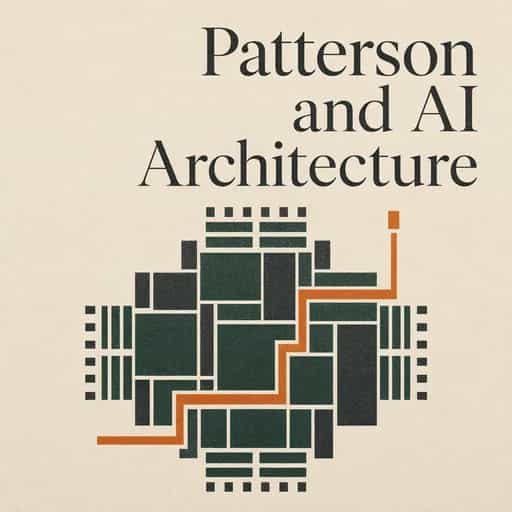
How computers scale from moon landings to microchips
How do machines smaller than a grain of rice compare to supercomputers? Explore the architecture and logic powering everything from NASA to your pocket.

Bestes Zitat aus How computers scale from moon landings to microchips
We’re moving away from a world where software developers can treat the hardware as a 'black box.' The more you understand about how the hardware actually processes your instructions, the better your software will be.
Generated by Glenn
Computers


Häufig gestellte Fragen
The Von Neumann bottleneck refers to a performance limitation in the classic computer architecture where both program instructions and data share a single communication path, or bus, to move between the memory and the CPU. Because the CPU can only perform one fetch operation at a time, it often wastes cycles waiting for data to arrive from memory. Modern architectures work around this limit by using a memory hierarchy that includes high-speed caches (L1, L2, and L3) and techniques like pipelining, which allows the CPU to work on multiple stages of different instructions simultaneously.
To keep the high-speed assembly line of a processor moving, CPUs use branch prediction to guess the outcome of "if-then" statements in code, allowing the pipeline to continue fetching instructions without waiting for a definitive result. If the guess is wrong, the pipeline is flushed and restarted. Additionally, out-of-order execution allows the CPU to look ahead at a list of instructions and execute any that have their data ready, even if they appear later in the program sequence. The results are then re-organized into the correct order at the end to ensure program accuracy.
A traditional CPU is designed like a highly skilled artisan capable of handling a wide variety of complex tasks one at a time. In contrast, a GPU functions more like a specialized factory line using Data-Level Parallelism. While a CPU might add two numbers at a time, a GPU uses a single instruction to perform the same mathematical operation on a massive "vector" or list of data all at once. This makes GPUs significantly more efficient for tasks that require repetitive math, such as rendering graphics or training AI neural networks.
Neuromorphic computing is a "brain-inspired" paradigm shift that moves away from the traditional separation of CPU and memory. Instead of shuttling data back and forth, neuromorphic chips use "in-memory computing" where processing and storage happen in the same place, mimicking biological synapses. These systems often use event-driven processing, meaning they only consume power when they detect a specific change or "spike" in data. This allows for incredible energy efficiency, potentially using milliwatts of power for tasks that would normally require significant energy in a traditional data center.
The Operating System acts as an "invisible conductor" or mediator between the user's applications and the physical hardware. It manages seven key areas: processes (multitasking), memory (assigning private space to programs), file systems (organizing data into folders), devices (using drivers to translate software commands for hardware), I/O (input/output), secondary storage, and security. By abstracting the hardware, the OS allows a user to save a file or print a document without needing to understand the complex binary instructions required to communicate with the specific hardware components.
Von Columbia University Alumni in San Francisco entwickelt
"Instead of endless scrolling, I just hit play on BeFreed. It saves me so much time."


"I never knew where to start with nonfiction—BeFreed’s book lists turned into podcasts gave me a clear path."


"Perfect balance between learning and entertainment. Finished ‘Thinking, Fast and Slow’ on my commute this week."
"Crazy how much I learned while walking the dog. BeFreed = small habits → big gains."
"Reading used to feel like a chore. Now it’s just part of my lifestyle."

"Feels effortless compared to reading. I’ve finished 6 books this month already."
"BeFreed turned my guilty doomscrolling into something that feels productive and inspiring."

"BeFreed turned my commute into learning time. 20-min podcasts are perfect for finishing books I never had time for."
"BeFreed replaced my podcast queue. Imagine Spotify for books — that’s it. 🙌"

"It is great for me to learn something from the book without reading it."
"The themed book list podcasts help me connect ideas across authors—like a guided audio journey."
"Makes me feel smarter every time before going to work"
Von Columbia University Alumni in San Francisco entwickelt
"Instead of endless scrolling, I just hit play on BeFreed. It saves me so much time."
"I never knew where to start with nonfiction—BeFreed’s book lists turned into podcasts gave me a clear path."
"Perfect balance between learning and entertainment. Finished ‘Thinking, Fast and Slow’ on my commute this week."
"Crazy how much I learned while walking the dog. BeFreed = small habits → big gains."
"Reading used to feel like a chore. Now it’s just part of my lifestyle."
"Feels effortless compared to reading. I’ve finished 6 books this month already."
"BeFreed turned my guilty doomscrolling into something that feels productive and inspiring."
"BeFreed turned my commute into learning time. 20-min podcasts are perfect for finishing books I never had time for."
"BeFreed replaced my podcast queue. Imagine Spotify for books — that’s it. 🙌"
"It is great for me to learn something from the book without reading it."
"The themed book list podcasts help me connect ideas across authors—like a guided audio journey."
"Makes me feel smarter every time before going to work"
"Instead of endless scrolling, I just hit play on BeFreed. It saves me so much time."
"I never knew where to start with nonfiction—BeFreed’s book lists turned into podcasts gave me a clear path."
"Perfect balance between learning and entertainment. Finished ‘Thinking, Fast and Slow’ on my commute this week."
"Crazy how much I learned while walking the dog. BeFreed = small habits → big gains."
"Reading used to feel like a chore. Now it’s just part of my lifestyle."
"Feels effortless compared to reading. I’ve finished 6 books this month already."
"BeFreed turned my guilty doomscrolling into something that feels productive and inspiring."
"BeFreed turned my commute into learning time. 20-min podcasts are perfect for finishing books I never had time for."
"BeFreed replaced my podcast queue. Imagine Spotify for books — that’s it. 🙌"
"It is great for me to learn something from the book without reading it."
"The themed book list podcasts help me connect ideas across authors—like a guided audio journey."
"Makes me feel smarter every time before going to work"
"Instead of endless scrolling, I just hit play on BeFreed. It saves me so much time."
"I never knew where to start with nonfiction—BeFreed’s book lists turned into podcasts gave me a clear path."
"Perfect balance between learning and entertainment. Finished ‘Thinking, Fast and Slow’ on my commute this week."
"Crazy how much I learned while walking the dog. BeFreed = small habits → big gains."
"Reading used to feel like a chore. Now it’s just part of my lifestyle."
"Feels effortless compared to reading. I’ve finished 6 books this month already."
"BeFreed turned my guilty doomscrolling into something that feels productive and inspiring."
"BeFreed turned my commute into learning time. 20-min podcasts are perfect for finishing books I never had time for."
"BeFreed replaced my podcast queue. Imagine Spotify for books — that’s it. 🙌"
"It is great for me to learn something from the book without reading it."
"The themed book list podcasts help me connect ideas across authors—like a guided audio journey."
"Makes me feel smarter every time before going to work"