Kapitel 1
Python's Pocket Wizard: Code Power, Anytime, Anywhere
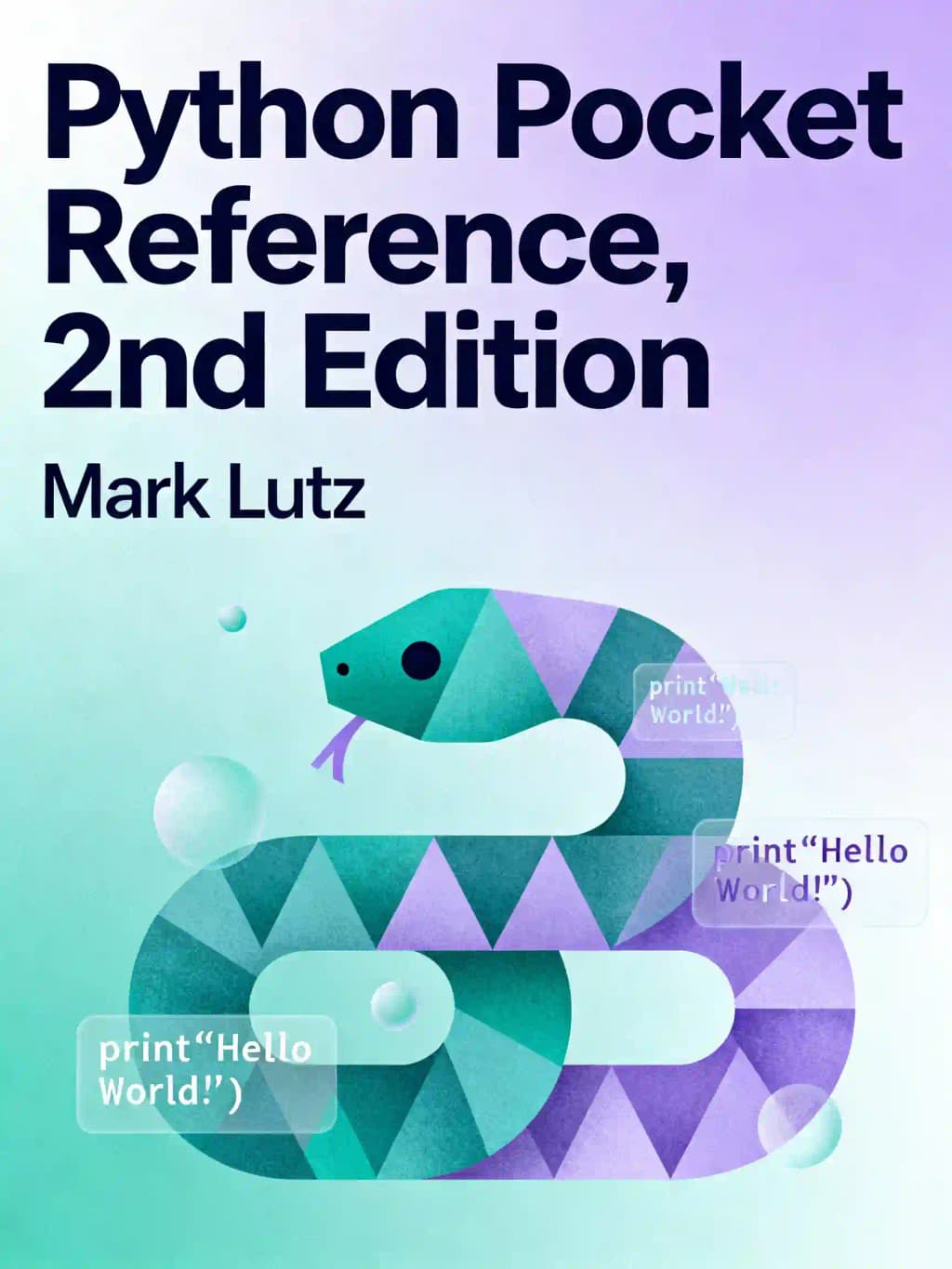
In a world where programming languages rise and fall like tech empires, Python stands resilient - and Mark Lutz has been its steadfast chronicler since the language's infancy. This pocket reference isn't just a book; it's your secret weapon in the coding wilderness. When your memory fails or StackOverflow is unreachable, Lutz's expertly distilled syntax guide becomes your digital lifeline.
As the author of "Programming Python" and Python's earliest comprehensive texts, Lutz has influenced countless developers, including those at Google, NASA, and Instagram, where Python powers billions of interactions daily. This reference condenses Python's vast capabilities into a format that fits where your laptop can't go.
What makes this second edition indispensable is its ruthless efficiency - delivering maximum programming power with minimum page-turning. Whether debugging at 3 AM or brainstorming on a mountain retreat, you'll have Python's core syntax, objects, and modules literally at your fingertips. For veterans and newcomers alike, this isn't just reference material - it's intellectual insurance.
Kapitel 2
The Foundation: Python's Core Language Structure
Python's elegant simplicity begins with its clean syntax and powerful built-in types. Unlike languages cluttered with brackets and semicolons, Python uses significant whitespace to define code blocks, making it remarkably readable. This design philosophy reflects Python's guiding principle: code is read more often than it's written.
The language offers versatile built-in types including numbers (integers, floating-point, and complex), strings (with rich manipulation methods), lists (mutable sequences), tuples (immutable sequences), and dictionaries (key-value mappings). These foundational elements provide the building blocks for more complex data structures.
Python's operator system follows clear precedence rules, from lambda expressions at the highest level down through logical operators, comparisons, and arithmetic operations. The language employs short-circuit evaluation for logical operators, optimizing performance by evaluating only what's necessary.
What makes Python particularly approachable is its dynamic typing system. Variables aren't declared with specific types; instead, they reference objects of any type and can be reassigned freely. This flexibility accelerates development while still maintaining robustness through strong typing at the object level.
Have you ever wondered why Python code feels so natural to write? It's because the language was designed with human readability as a primary goal. When you write `if x > 5: print("Greater")`, you're essentially writing executable pseudocode. This readability extends to Python's naming conventions, where variables begin with letters or underscores, distinguishing them from reserved keywords like `if`, `while`, or `def`.
Python's approach to control flow is equally elegant, with statements like `if`, `while`, and `for` guiding program execution in intuitive ways. The `for` loop, for example, iterates directly over sequence elements rather than requiring explicit indexing, making code both more concise and less prone to off-by-one errors.
Kapitel 3
Object-Oriented Programming: Python's Class System
Python's implementation of object-oriented programming centers around classes, which serve as blueprints for creating objects with shared attributes and behaviors. This approach enables code reuse, modularity, and the modeling of real-world entities in a natural way.
Classes in Python are created using the `class` statement, establishing a new namespace and defining default behaviors. Methods defined within a class typically use a special first parameter (conventionally named `self`) to reference the instance being operated on. Consider this simple example:
When you create an instance by calling the class (`fido = Dog("Fido")`), Python automatically creates a new object and passes it as the `self` parameter to methods. This instance inherits all attributes from its class but can also have unique attributes assigned to it.
Python's inheritance system is particularly powerful, allowing classes to inherit attributes and methods from parent classes. When you access an attribute, Python follows a resolution order: it first checks the instance, then its class, and finally any superclasses. This enables sophisticated hierarchies while maintaining clarity.
What about privacy? Unlike languages with strict access modifiers, Python uses naming conventions to suggest visibility. Names starting with a single underscore (`_name`) indicate attributes that shouldn't be accessed directly, while double underscores (`__name`) trigger name mangling to prevent accidental overrides in subclasses. This approach reflects Python's philosophy of "we're all consenting adults here" - providing guidelines rather than strict enforcement.
The real magic happens with operator overloading, where classes can define special methods (like `__add__` or `__getitem__`) to customize how instances behave with built-in operations. Want your object to support addition with the `+` operator? Simply implement the `__add__` method. This feature allows you to create intuitive interfaces for your classes that feel like natural extensions of the language itself.
Kapitel 4
Built-in Functions: Python's Swiss Army Knife
Python's standard library comes packed with powerful built-in functions that handle common programming tasks with elegance and efficiency. These functions form the backbone of Python programming, offering tools for everything from type conversion to sequence manipulation.
Need to determine an object's type? `isinstance(obj, class)` checks if an object belongs to a specific class or its subclasses. Want to iterate over a sequence while tracking the index? `enumerate(sequence)` returns pairs of indices and values, eliminating the need for manual counters.
For functional programming enthusiasts, Python provides `map(function, sequence)` to apply a function to each element in a sequence, and `filter(function, sequence)` to select elements that satisfy a condition. These functions enable expressive, concise code that focuses on what you want to accomplish rather than how to do it.
When working with collections, `len(object)` returns the number of items, while `sorted(sequence)` creates a new sorted list from any iterable. The versatile `zip()` function combines multiple sequences into tuples, perfect for parallel iteration.
Python's built-in functions also simplify file handling with `open(filename, mode)`, mathematical operations with `max()`, `min()`, and `sum()`, and string processing with `chr()` and `ord()` for character-code conversions.
What makes these functions particularly powerful is their consistency across Python versions and platforms. Whether you're coding on Windows, macOS, or Linux, these functions behave predictably, making your code portable and reliable.
Imagine trying to find the sum of squares for numbers 1 through 10. In many languages, this would require multiple lines with loops and temporary variables. In Python, you can simply write: `sum(x**2 for x in range(1, 11))`. This expressive power comes from the seamless integration of built-in functions with Python's syntax features.
Kapitel 5
Exception Handling: Graceful Error Management
Python's approach to error handling revolves around exceptions, which provide a structured way to detect and respond to errors. Rather than checking return codes or setting error flags, Python uses a try-except mechanism that separates normal code flow from error-handling logic.
The exception hierarchy in Python starts with the base `Exception` class, from which more specific exceptions derive. Common exceptions include `ValueError` for inappropriate values, `TypeError` for operation on incompatible types, and `IndexError` for out-of-range sequence indices.
A basic exception handling pattern looks like this:
This structure allows the program to continue execution even when errors occur, rather than crashing abruptly. The `except` clause can catch specific exception types or use a broader catch-all, though the latter is generally discouraged as it can mask unexpected errors.
Python also offers `else` and `finally` clauses to enhance exception handling. The `else` block executes when no exception occurs, while `finally` always executes, making it perfect for cleanup operations like closing files or releasing resources.
For custom error conditions, you can raise exceptions explicitly with the `raise` statement. This is particularly useful when implementing functions that need to signal specific error conditions to callers.
Warning categories like `DeprecationWarning` and `UserWarning` provide a gentler way to signal potential issues without halting execution. These warnings alert developers to problematic code that may need attention in the future.
The beauty of Python's exception system is that it encourages a clean separation between normal code paths and error handling, making both easier to understand and maintain. Rather than cluttering your code with constant error checks, you can focus on the primary logic and handle exceptional cases separately.
Kapitel 6
String Processing: Text Manipulation Made Simple
Python's string handling capabilities are among its most powerful features, offering a rich set of methods for text manipulation. Strings in Python are immutable sequences of characters, which can be created using single, double, or triple quotes (the latter allowing for multiline strings).
The string module provides useful constants like `digits` and `ascii_letters`, while string objects themselves come with dozens of methods for common operations. Need to check if a string starts with a certain prefix? Use `s.startswith('prefix')`. Want to replace all occurrences of a substring? `s.replace('old', 'new')` does the job.
String formatting in Python is particularly flexible. The `%` operator works similar to C's printf, allowing placeholders like `%d` for integers and `%s` for strings:
For more complex formatting needs, string methods like `format()` offer greater control:
Python also supports raw strings (prefixed with `r`) that treat backslashes as literal characters, which is particularly useful for regular expressions. Unicode strings (prefixed with `u`) handle international character sets, ensuring your applications work globally.
Splitting and joining operations simplify common text processing tasks. `s.split(',')` breaks a string into a list at each comma, while `','.join(list)` combines list elements with commas between them.
Case conversion methods like `upper()`, `lower()`, and `title()` handle text normalization, while `strip()`, `lstrip()`, and `rstrip()` remove unwanted whitespace or specified characters from string edges.
What makes Python's string handling so powerful is how these methods chain together to perform complex operations in a readable way. For example, to normalize, trim, and split a messy input string:
This expressive power makes Python an excellent choice for text processing applications, from simple configuration file parsing to sophisticated natural language processing.
Kapitel 7
File Handling: Seamless Data Access
Python's file handling system provides a straightforward interface for reading from and writing to files, abstracting away the complexities of different operating systems and file formats.
The core of file handling is the `open()` function, which creates a file object with methods for various operations. The function takes a filename and mode parameter, with modes including 'r' for reading, 'w' for writing (creating or truncating the file), and 'a' for appending.
Reading files offers several approaches depending on your needs. For small files, `file.read()` loads the entire content as a string, while `file.readlines()` returns a list of lines. For line-by-line processing, you can iterate directly over the file object:
The `with` statement ensures proper file closure even if exceptions occur, eliminating a common source of resource leaks.
Writing to files is equally straightforward. The `write()` method outputs a string, while `writelines()` handles lists of strings (though it doesn't add newlines automatically):
For more precise control, methods like `tell()` report the current file position, while `seek()` moves to a specific position, enabling random access to file content.
File objects also maintain useful attributes like `name` (the filename), `mode` (the access mode), and `closed` (a boolean indicating if the file is closed), providing context for operations and error handling.
Binary file handling uses modes like 'rb' and 'wb', treating content as byte sequences rather than text. This is essential when working with images, audio, or other non-text formats.
Python's approach to file handling strikes an excellent balance between simplicity for common cases and flexibility for more complex scenarios, making it suitable for everything from quick scripts to enterprise applications.
Kapitel 8
Regular Expressions: Pattern Matching Power
Python's `re` module provides sophisticated pattern matching capabilities through regular expressions, allowing developers to search, extract, and manipulate text based on patterns rather than fixed strings.
The module offers several key functions: `match()` checks if a pattern matches at the start of a string, `search()` finds the first match anywhere in the string, and `findall()` returns all non-overlapping matches as a list. For more control, `finditer()` returns match objects that provide detailed information about each match.
Regular expression patterns in Python follow standard syntax, with characters like `.` (matching any character), `^` and `$` (matching string boundaries), and `[...]` for character sets. Quantifiers like `*`, `+`, and `?` control repetition, while grouping with parentheses allows for extracting specific parts of a match.
For example, to extract all email addresses from a text:
The `r` prefix creates a raw string, preventing Python from interpreting backslashes, which are common in regex patterns.
For patterns you'll use repeatedly, compiling them with `re.compile()` improves performance:
Match objects provide detailed information about successful matches, including the matched text (`group()`), start and end positions (`start()` and `end()`), and named groups for extracting specific parts of a pattern.
The `re` module also offers powerful replacement capabilities with `sub()` and `subn()`, allowing you to replace matches with fixed strings or the results of a callback function.
For complex patterns, you can use the `VERBOSE` flag to write more readable regular expressions with comments and whitespace:
This combination of standard regex syntax with Python-specific enhancements makes the `re` module a powerful tool for text processing tasks, from simple validation to complex data extraction.
Kapitel 9
System and OS Interaction: Cross-Platform Control
Python's `os` and `sys` modules provide a platform-independent interface to operating system functionality, allowing developers to write code that works consistently across different environments.
The `sys` module offers access to Python interpreter variables and functions. `sys.argv` contains command-line arguments, `sys.path` lists import search paths, and `sys.exit()` terminates the program with an optional status code. For input and output, `sys.stdin`, `sys.stdout`, and `sys.stderr` provide access to standard streams.
The `os` module focuses on operating system interactions. `os.environ` exposes environment variables as a dictionary, while functions like `os.getcwd()` and `os.chdir()` manage the current working directory. File operations include `os.remove()` for deletion and `os.rename()` for renaming.
Directory operations are particularly well-supported. `os.listdir()` returns the contents of a directory, `os.mkdir()` creates directories, and `os.walk()` traverses directory trees, yielding tuples of directory path, subdirectories, and files.
For path manipulation, the `os.path` submodule offers functions like `join()` to combine path components, `split()` to separate directories and filenames, and `exists()` to check if a path exists. These functions handle platform-specific path separators automatically, ensuring your code works on both Windows and Unix-like systems.
Process management functions allow you to execute external commands. `os.system()` runs a command in a subshell, while `os.popen()` executes a command and provides a file-like object for reading its output. For more control, the `subprocess` module (not covered in detail in the pocket reference) offers a more powerful interface.
The combination of these modules enables Python to serve as an effective scripting language for system administration and automation tasks, providing a consistent interface across platforms while still allowing access to platform-specific features when needed.
Kapitel 10
Data Persistence: Storing Python Objects
Python offers several mechanisms for storing and retrieving data, from simple file I/O to sophisticated object serialization. The pocket reference covers key modules for data persistence, focusing on `pickle`, `anydbm`, and `shelve`.
The `pickle` module serializes Python objects to byte streams, allowing complex data structures to be saved to files and later reconstructed. Almost any Python object can be pickled, including custom classes (with some limitations). Basic usage is straightforward:
For better performance, the `cPickle` module provides a faster C implementation with the same interface.
The `anydbm` module offers a simple key-value storage system that works like a persistent dictionary. Keys and values must be strings, making it suitable for straightforward data storage needs:
Building on these foundations, the `shelve` module combines the power of `pickle` and `anydbm` to create persistent dictionaries that can store any pickle-able object:
These persistence modules strike different balances between simplicity, performance, and flexibility. For simple needs, `anydbm` provides efficient key-value storage. For complex objects, `pickle` offers direct serialization. And for the best of both worlds, `shelve` combines them into a convenient package.
Modern Python has expanded these options with modules like `json` for web-friendly data interchange and `sqlite3` for embedded relational databases, but the core persistence modules covered in the pocket reference remain valuable tools in the Python programmer's toolkit.
Kapitel 11
Python/C Integration: Extending and Embedding
One of Python's greatest strengths is its ability to integrate with C code, either by extending Python with C modules or by embedding the Python interpreter in C applications. The pocket reference provides a concise overview of the Python/C API, focusing on key functions and patterns.
When extending Python with C, you create modules that Python can import, providing new functionality implemented in C for performance or to access system resources. The API includes functions for creating Python objects from C values, parsing arguments from Python to C, and managing Python's reference counting system.
Reference counting is central to Python's memory management, and the C API provides functions like `Py_INCREF` and `Py_DECREF` to manipulate reference counts:
For data conversion, `PyArg_ParseTuple` extracts C values from Python argument tuples using format strings:
In the other direction, `Py_BuildValue` creates Python objects from C values:
When embedding Python in C applications, you initialize the interpreter with `Py_Initialize()` and then use functions like `PyRun_SimpleString` to execute Python code:
For more control, you can access Python modules with `PyImport_ImportModule` and call Python functions with `PyObject_CallFunction`.
Exception handling in the C API involves checking return values (typically NULL indicates an error) and using functions like `PyErr_Occurred` to detect exceptions and `PyErr_Print` to display them.
While the pocket reference provides a solid introduction to the Python/C API, developing extensions or embedded applications typically requires additional resources due to the complexity of memory management and type conversion between the two languages.
Kapitel 12
Python Development Tools and Distribution
The pocket reference concludes with practical information on Python development tools and distribution options, helping developers move from code to deployable applications.
For development, Python's standard IDE is IDLE, which provides a simple GUI with features like syntax highlighting, basic debugging, and an interactive shell. For more advanced needs, third-party IDEs like PythonWin and Komodo offer enhanced capabilities. Text editors like Emacs also support Python with features like auto-indenting and syntax coloring.
When it comes to distributing Python applications, several options are available. For simple scripts, distributing the source code is often sufficient, as Python is widely available across platforms. For more complex applications, tools like py2exe and installer create standalone Windows executables that don't require a separate Python installation.
The Distutils package, included with Python, simplifies the creation and distribution of Python modules and packages. It handles tasks like building, packaging, and installing Python libraries, using a standard setup.py script:
This approach creates distribution packages that can be easily installed with pip, Python's package installer.
The reference also includes helpful resources like key websites (python.org for official resources and vex.net for third-party tools) and Python-specific conventions, such as using "spam" and "eggs" in examples instead of the traditional "foo" and "bar" - a nod to Python's Monty Python heritage.
These practical tools and tips complete the pocket reference, ensuring that developers not only understand Python's language features but also know how to effectively develop and distribute Python applications in real-world scenarios.



![[test-python-wiki-001:c0000] Python (programming language) p1-1](/_next/image?url=https%3A%2F%2Fd1y2du6z1jfm9e.cloudfront.net%2Fassets%2Fpodcast%2Fblue.png&w=1024&q=50)
![[test-python-wiki-001:c0001] Python (programming language) p1-1](/_next/image?url=https%3A%2F%2Fd1y2du6z1jfm9e.cloudfront.net%2Fassets%2Fpodcast%2Fpurple.png&w=1024&q=50)
![[test-python-wiki-001:c0003] Python (programming language) p1-1](/_next/image?url=https%3A%2F%2Fd1y2du6z1jfm9e.cloudfront.net%2Fassets%2Fpodcast%2Fgreen.png&w=1024&q=50)